You Have a Website. So Why Is the Phone Not Ringing?
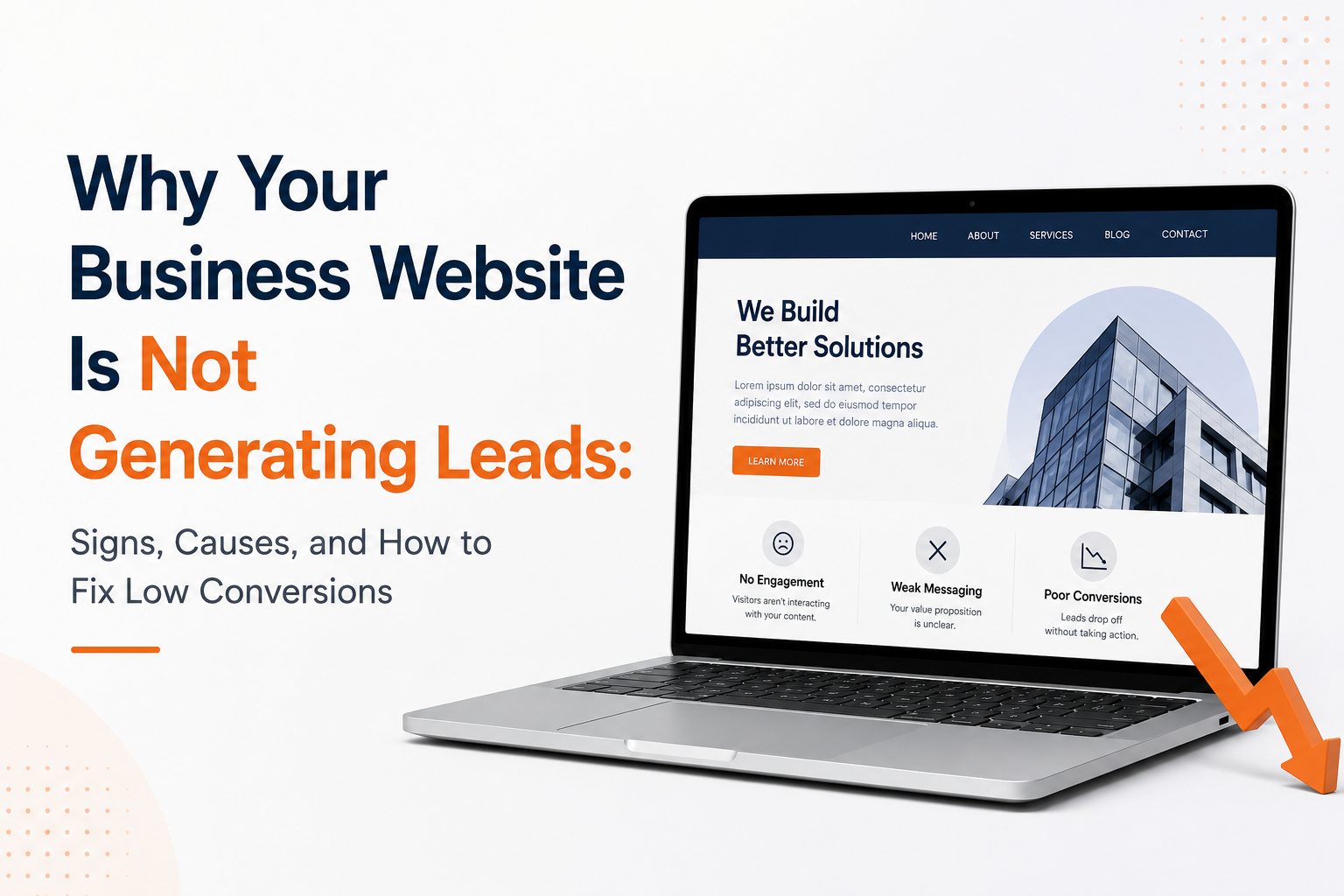
You invested in a website. You have pages, a logo, maybe even a blog. Your team spent weeks going back and forth on colors, fonts, and copy. The site launched. And then—silence.
No inquiries. No demo requests. No contact form submissions. Just traffic numbers that mean nothing to your revenue.
The global average website conversion rate across industries hovers between 1.5% and 3%, according to data from WordStream and HubSpot. That means for every 100 visitors landing on a typical business website, 95 to 98 leave without taking any meaningful action. If your numbers are worse than that—or if you have no idea what your numbers even are—you have a real problem that is actively costing you money.
This guide is written for founders and business leaders who want straight answers: a clear, honest breakdown of what is going wrong and exactly what to do about it.
Why Your Business Website Is Not Generating Leads
There is a common belief among business owners that building a website is a one-time achievement. Launch it, and the leads will come. This assumption is the root cause of most conversion failures.
Think of it this way: opening a physical store on a busy street is not the same as having a store that sells. The store needs signage, a layout that guides customers naturally, staff who can close a sale, and a checkout process that does not frustrate people into walking out. Your website needs every one of those things — translated into a digital experience.
Most websites fail because they were built to look good, not to perform. Aesthetics and functionality are not the same thing. And confusing them is expensive.
The mental model that changes everything: Stop asking “Does my website look professional?” and start asking “Does my website make it obvious, easy, and compelling for the right visitor to take the next step?”
Sign #1: You Get Traffic but No Inquiries
This is the most telling sign of a conversion problem — a website not converting visitors despite steady traffic — and it is more common than most people realize.
If your analytics show a steady stream of visitors but your inbox is quiet, the issue is almost never the traffic itself. The issue is what happens after people arrive.
Traffic without conversions points to one or more of the following root causes:
- Misaligned expectations. The visitor found your website through a search term, ad, or social post that promised something your site did not immediately deliver.
- No clear next step. Your website does not make it obvious what a visitor should do. If someone has to think for more than a few seconds about what to click, they will not click anything.
- Lack of relevance. The content on your website speaks about you rather than about the visitor’s problem. People are not on your website because they care about your company—they are there because they have a problem and are wondering if you can solve it.
Practical diagnostic: Open your website’s homepage and ask yourself—within five seconds, can a first-time visitor clearly understand who this is for, what problem it solves, and what they should do next? If the answer is no, you have found your first problem.
Sign #2: High Bounce Rates Are Driving Visitors Away
Bounce rate is the percentage of visitors who land on a page and leave without clicking anything or visiting another page. In Google Analytics 4 (GA4), the equivalent metric is called “engagement rate.”
A high bounce rate is not always bad. For a blog post, 70–80% can be acceptable. But for a services page or homepage, anything above 70% is a red flag.
What causes visitors to bounce?
Slow load times are the most immediate culprit. Research from Google consistently shows that as page load time increases from one to three seconds, the probability of a mobile visitor bouncing increases by 32%. Beyond five seconds, that probability jumps to 90%.
Visual or content mismatch is another major factor. If your ad or search result promises one thing and the page delivers something different, the visitor leaves instantly. This is called “message match failure”—a critical concept in conversion rate optimization (CRO).
Overwhelming design also drives bounces. Too many pop-ups, auto-playing videos, or cluttered navigation creates cognitive overload, causing visitors to abandon without engaging.
Practical diagnostic: Use Google Analytics 4 or Microsoft Clarity (a free heatmap and session recording tool) to identify which pages have the highest bounce rates. Prioritize fixing those pages first—they represent the biggest drop in your conversion pipeline.
Sign #3: An Unclear Value Proposition Confuses Buyers
Your value proposition is the single most important piece of copy on your website. It answers three questions in one sentence or two: What do you do? Who is it for? Why should they choose you?
If a visitor cannot answer all three questions within ten seconds of landing on your homepage, your value proposition is not clear enough. And an unclear value proposition is a silent conversion killer.
Here is the difference between a weak and a strong value proposition:
Weak: “We are a full-service digital agency delivering innovative solutions for modern businesses.”
Strong: “We help e-commerce brands reduce cart abandonment by 40% using behavior-driven email automation—without hiring an in-house marketing team.”
The second version is specific, outcome-focused, and immediately relevant to a defined audience. The first could describe almost any agency on the planet.
A strong value proposition needs four components:
- Clarity: Plain language, no buzzwords
- Specificity: Real outcomes, not vague promises
- Relevance: Speaks directly to the target customer’s pain or desire
- Differentiation: Signals why you, not a competitor
Common mistake: Many founders confuse their mission statement with their value proposition. Your mission is internal—it describes your company’s purpose. Your value proposition is external—it describes the buyer’s benefit.
Practical fix: Use the formula: “We help [specific audience] achieve [specific outcome] by [your method or differentiator].” Place this prominently on your homepage, above the fold, in plain language.
Sign #4: Weak or Invisible CTAs Limit Conversions
A CTA (call-to-action) guides visitors toward the next step. When it underperforms, conversions drop—no matter how good the rest of your page is.
Most weak CTAs fail in two ways:
They’re either hard to notice or unclear in intent. If your CTA is buried in the footer or blends into the design with low-contrast colors, users simply won’t see it. Visitors don’t hunt for CTAs—they expect them to stand out naturally as they move through the page.
On the other hand, vague CTAs like “Learn More,” “Click Here,” or “Submit” create hesitation. They don’t explain what happens next or why it’s worth taking action. Compare that with: “Get Your Free 30-Minute Strategy Session” — specific, outcome-driven, and low-risk.
What makes a high-converting CTA:
- Visually prominent — high-contrast, placed above the fold, and repeated at key decision points
- Action-specific — starts with a clear verb (“Get,” “Start,” “Download,” “Book”)
- Benefit-focused — communicates the value, not just the action
- Low commitment — reduces friction (“No credit card required,” “Cancel anytime,” “Free consultation”)
Rule of thumb: Every page should drive one primary action. Not multiple competing choices. Not none. One clear next step.
Sign #5: Poor Mobile Experience Is Costing You Leads
As of early 2026, mobile devices account for roughly 59% of global website traffic, according to Statista. For many business-to-consumer (B2C) and even business-to-business (B2B) categories, that figure is even higher, especially for initial discovery visits.
If your website was designed primarily for desktop and treated mobile as an afterthought, you are likely losing more than half your potential leads before they even read a single line of your content.
Poor mobile experience shows up as: text too small to read without pinching, buttons too close together to tap accurately, images that break the layout, and navigation menus that are difficult to operate.
Beyond UX, mobile performance directly affects your search ranking. Google operates on a mobile-first indexing policy — a poor mobile experience does not just frustrate visitors, it limits how many people find you in the first place.
Practical diagnostic: Use Google’s free Mobile-Friendly Test (search.google.com/test/mobile-friendly) to get an instant assessment of your site’s mobile performance. Also, open your own website on your personal phone and try to complete a conversion action. If it feels awkward or frustrating to you, it will feel worse to a stranger.
Sign #6: Slow Website Speed Reduces Conversions
Website speed is not a technical nicety. It is a direct driver of revenue.
Portent’s research found that a website loading in one second converts at 2.5x the rate of one loading in five seconds. Every additional second a visitor waits is an opportunity for them to abandon your site and convert with a competitor instead.
Website speed is measured using Core Web Vitals—a set of metrics defined by Google that assess loading performance, visual stability, and interactivity. The three primary metrics are:
- LCP (Largest Contentful Paint): How long it takes for the main content of a page to appear. Should be under 2.5 seconds.
- INP (Interaction to Next Paint): How quickly the page responds to user interactions like clicks. Should be under 200 milliseconds.
- CLS (Cumulative Layout Shift): How much the page layout shifts unexpectedly during loading. Should be below 0.1.
Poor scores on these metrics indicate technical problems—often unoptimized images, excessive third-party scripts, or inadequate hosting—that are directly hurting your conversions.
Practical diagnostic: Run your site through Google PageSpeed Insights (pagespeed.web.dev). A score below 50 on mobile is serious and needs immediate attention.
Sign #7: Outdated Design and Content Hurt Credibility
Trust is built in milliseconds. Research from Stanford’s Web Credibility Project has repeatedly shown that visitors make credibility judgments about a website within the first few seconds of arrival—and visual design is the most influential factor.
An outdated design communicates one thing: this business does not invest in itself. And if you do not invest in your own presentation, why would a prospect trust you to invest in their project?
Outdated design includes dated color schemes, cluttered layouts, non-responsive templates, and over-posed stock photography. But visual design is not the only issue. Outdated content is equally damaging — a blog last updated in 2021, a team page featuring people who no longer work there, or a footer that reads “© 2020” all signal stagnation to a sharp buyer.
Practical fix: You do not need a full redesign every year. But you should conduct a quarterly content audit—checking for outdated information, broken links, old case studies, and expired offers—and a design review every two to three years to ensure your visual presentation remains credible and competitive.
Sign #8: You Are Attracting the Wrong Audience
This is a diagnosis most businesses resist because it implies a problem with their marketing strategy, not just their website. But it is one of the most common and costly reasons a business website fails to generate leads.
Without a tightly defined ideal customer profile (ICP) — a detailed description of the company or individual most likely to buy from you — you will attract visitors who are curious, but not qualified. Unqualified traffic looks good in reports. But you cannot convert the wrong person.
Signs that you are attracting the wrong audience include:
- High traffic but low time-on-site (visitors leave quickly because the content is not relevant to them)
- Contact form submissions from people who are clearly not your target buyer
- High-traffic blog posts that rank for informational queries but attract no buyers
- Ad clicks that are not converting, even with a well-optimized landing page
Practical fix: Revisit your keyword strategy, ad targeting, and content topics with your ICP firmly in mind. Every piece of content and every campaign should be designed to attract and qualify a specific type of buyer—not to generate maximum traffic volume.
Sign #9: Missing Trust Signals Reduce Buyer Confidence
Before taking action, virtually every visitor weighs one question: ‘Can I trust this business?’ If your website doesn’t provide clear proof, uncertainty grows—and conversions fall.
Trust signals reduce this friction by showing real-world evidence that your business is reliable, capable, and transparent.
Trust Signals Checklist (Website Audit)
Social Proof (Customer Evidence)
- Client logos from industries relevant to your target industry
- Testimonials with name, role, and company
- Case studies with quantified outcomes (e.g., “Reduced CAC by 34% in six months”)
- Video testimonials to strengthen authenticity and engagement
Credibility Markers (Third-Party Validation)
- Awards, certifications, or industry affiliations
- Media mentions (“As seen in…”)
- Recognized partnerships (e.g., Google Partner, HubSpot Partner)
- Security badges, SSL indicators, and trust marks where appropriate (e.g., checkout, pricing, sign-up pages)
Transparency Signals (Risk Reduction)
- “About” page with real team members and bios
- Visible contact details (address and phone, and/or live chat)
- Clear pricing, or a dedicated “How We Work” / “Onboarding” / “Pricing” page with expectations
Decision Test (Conversion Benchmark)
If a prospect had to decide based only on my website, is there enough evidence to feel comfortable taking the next step (demo, call, or trial)?
If the answer is no, strengthen trust signals before optimizing traffic, design, or copy.
Sign #10: No Clear Conversion Funnel
A conversion funnel is the path a visitor takes from arriving on your website to completing a desired action. Most business websites do not have one.
Instead, they have a collection of pages that exist independently, with no intentional logic guiding a visitor from awareness to interest to decision.
A well-designed funnel is a guided tour. A clear value proposition tells visitors they are in the right place, compelling content demonstrates relevance, trust signals build confidence, objection-handling copy removes doubt, and a CTA provides the natural exit point toward a conversation.
A simple three-stage funnel framework for B2B websites:
| Stage | Goal | Page/Content |
|---|
| Awareness | Confirm relevance | Homepage, landing pages, blog |
| Consideration | Build trust and demonstrate value | Services pages, case studies, about |
| Decision | Remove friction and drive action | Pricing, FAQ, contact, booking page |
Practical fix: Map your current website pages against this framework. Identify which stages are missing or underdeveloped. Then prioritize building or improving the content that moves visitors from one stage to the next.
Quick Diagnostic: Is Your Website Actively Losing Leads?
If three or more of these are true for your website:
- Bounce rate above 70%
- Conversion rate below 1%
- No CTA above the fold on your homepage
- No testimonials or social proof on the homepage
- Mobile load time exceeds three seconds
Your website is not just underperforming — it is actively losing leads to competitors.
The Real Business Cost of a Website Not Converting Visitors
It is easy to treat a low-converting website as an inconvenience. But the financial reality is often jarring when founders look at it directly.
Consider this model: If your website receives 2,000 monthly visitors, your conversion rate is 1%, and your average deal value is $5,000, you are generating approximately 20 leads per month.
Now improve that conversion rate from 1% to 3% — a realistic improvement after addressing the issues in this guide. Without a single additional visitor, you go from 20 leads to 60 leads per month. At the same close rate, that is a 3x increase in pipeline from the same traffic investment. At an average deal value of $10,000 and a 25% close rate, that improvement alone represents over $1.2 million in additional annual revenue — without spending another dollar on traffic.
This is why conversion rate optimization consistently delivers one of the highest returns on investment of any digital marketing activity. You are not spending more to reach more people—you are making better use of the people already showing up.
The hidden costs of a business website not generating leads extend beyond lost deals:
- Wasted marketing spend. Every dollar you invest in SEO, paid ads, or content marketing that drives traffic to a non-converting website is partially wasted.
- Competitive disadvantage. While you are struggling to convert existing visitors, competitors with optimized websites are capturing the same audience and closing deals faster.
- Organizational drag. Sales teams that rely on inbound leads find themselves working with poorly qualified or insufficient pipeline, which extends sales cycles and increases customer acquisition costs.
Mini Scenario: Improving Conversions Without Increasing Traffic
The situation: A boutique HR consulting firm attracted approximately 1,800 monthly visitors through organic search, generating two to three inbound leads per month — a conversion rate of roughly 0.15%. They were considering doubling their paid advertising budget to increase volume.
The diagnosis: The homepage value proposition read: “Empowering organizations through people-first HR solutions.” Generic, unmemorable, and outcome-free. There were no testimonials or case studies. The only CTA was a “Contact Us” button in the top navigation — nothing above the fold, nothing in the body copy. The site loaded in 6.2 seconds on mobile.
The fixes applied:
- Rewrote the homepage headline to: “We help mid-sized companies reduce HR compliance risk and cut employee turnover by building people strategies that actually work.”
- Added three client testimonials with specific outcomes to the homepage.
- Created a “How We Work” page that walked prospects through the engagement process in plain language.
- Replaced the vague “Contact Us” CTA with “Book a Free 30-Minute HR Strategy Call” and placed it prominently above the fold and again at the bottom of every service page.
- Compressed images and removed unused plugins to bring page load time to under 2.5 seconds on mobile.
The result: Within sixty days, without any increase in traffic or ad spend, monthly inbound leads grew from two to three per month to eleven to fourteen — a conversion rate improvement from 0.15% to approximately 0.7%. Further refinements brought that to 1.2% over the following quarter.
The takeaway: More traffic is rarely the solution when your existing traffic is not converting. Fix the funnel first. Then scale.
How to Improve a Business Website That Is Not Generating Leads
A practical, prioritized action plan:
Step 1: Establish your baseline metrics. Capture monthly visitors, bounce rate, average session duration, and conversion rate before making any changes. If you do not have Google Analytics 4 installed, set it up — it is free and takes less than thirty minutes.
Step 2: Clarify your value proposition. Rewrite your homepage headline using the formula: “We help [specific audience] achieve [specific outcome] by [your method or differentiator].” Validate it with three to five existing clients — their language is often better than anything a copywriter invents.
Step 3: Audit your CTAs. Review every page and identify the primary CTA. No CTA? Add one. Five competing CTAs? Consolidate. Make every CTA visually prominent, action-specific, and benefit-forward.
Step 4: Add or strengthen trust signals. Prioritize testimonials with specific outcomes, real client names, and job titles. If you have case studies, lead with results, not process.
Step 5: Fix mobile and speed performance. Run your site through Google PageSpeed Insights and Mobile-Friendly Test. Address the top three to five issues flagged. Focus on image optimization, script loading, and hosting performance.
Step 6: Map and close funnel gaps. Using the three-stage framework (awareness, consideration, decision), identify which stages are underdeveloped and build or improve content accordingly.
Step 7: Implement behavioral analytics. Install Microsoft Clarity or Hotjar (both have free tiers) to record how visitors interact with key pages. Watch session recordings and review heatmaps to identify where visitors lose interest.
Step 8: Test, measure, and iterate. Make one change at a time and allow two to four weeks to accumulate meaningful data. Making five simultaneous changes means you will not know which one moved the needle.
Conclusion
A website that does not generate leads is not just a digital problem—it is a business problem. Every month your site underperforms is revenue that goes to competitors who invested in making their digital presence actually work. The good news is that this is almost always fixable, and the most impactful improvements do not require rebuilding from scratch or dramatically increasing your marketing budget.
The businesses that consistently generate leads through their websites share one characteristic: they treat their website as a living, strategic sales asset—not a static brochure that gets updated once every few years. They are clear about who they serve, deliberate about how they earn trust, and relentless about removing friction between visitor interest and buyer action.
Start with your value proposition. Audit your CTAs. Add real social proof. Fix your speed. Map your funnel. These are not abstract recommendations—they are the specific levers that move conversion numbers.
If your website is not working for you, it is not working against you by accident. It is working against you by design—and that means the fix is also a matter of design.
For growth-stage businesses, a structured audit often surfaces three to five significant conversion leaks within hours — not months. The challenge is rarely tools or budget. It is knowing where to look first and how to sequence the fixes. Teams like Splitbit treat this as a systematic diagnostic process rather than an immediate redesign, which is faster, more cost-effective, and produces changes that are grounded in how your actual visitors behave.
If you are ready to stop guessing why your website is underperforming and want a clear picture of exactly what to fix and in what order, start with a structured conversion audit. Identify your three biggest friction points, address them systematically, and measure the impact over sixty days. The results will tell you everything you need to know about where to invest next.