Website Redesign vs. Rebuild: How to Choose the Right Strategy for Your Business Growth
Your site launched last quarter. It looks polished. The team is proud. But conversions haven't moved. That's not a design problem — it's a diagnosis problem. Most businesses ask the wrong question when their website underperforms: "How do we make this look better?" The right question is: "What is actually preventing growth?" That distinction matters …
Your site launched last quarter. It looks polished. The team is proud. But conversions haven’t moved.
That’s not a design problem — it’s a diagnosis problem.
Most businesses ask the wrong question when their website underperforms: “How do we make this look better?” The right question is: “What is actually preventing growth?”
That distinction matters more than most teams realize. The answer could mean the difference between a quick fix, a full rebuild, or doing nothing at all.
This guide walks you through the same framework senior engineers and strategists use to make that call — clearly, and without guesswork.
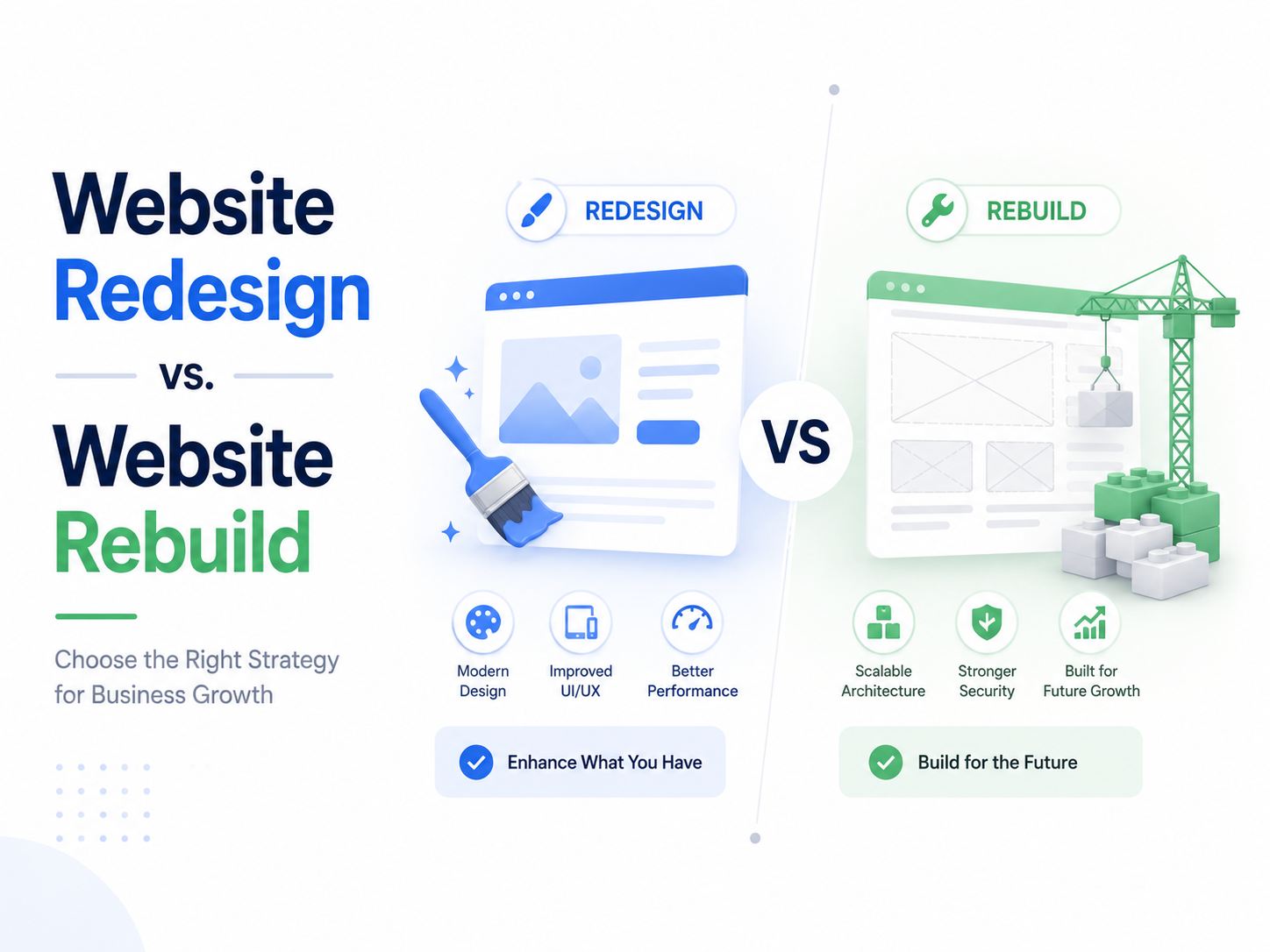
Quick Answer: Redesign or Rebuild?
Not sure which path is right for your startup? Here is the 2026 decision matrix:
Choose a Redesign if: * Your site passes Core Web Vitals (Green in Search Console).
Your marketing team can push landing pages without asking a developer.
The Problem: Your brand looks like “2021” or your bounce rate is high despite fast load times.
Choose a Rebuild if: * Your Lighthouse score is < 70 or INP is > 200ms (sluggish interactions).
Simple text edits require a Jira ticket or a developer’s help.
Your tech stack is “Monolithic” and can’t integrate with modern AI APIs or CRM flows.
Still unsure? Run the 3-test self-audit in Section 10 before committing your budget.
Your Website Looks Better. But Nothing Has Improved.
There’s a predictable emotional arc to a website redesign. The new UI ships. Stakeholders are excited. The brand feels fresh. Then, six weeks later, someone pulls the conversion data and the room goes quiet.
This is the “New Paint” fallacy — the belief that visual change produces behavioral change.
Aesthetics influence brand perception. But infrastructure dictates user behavior. A user doesn’t consciously notice that your Largest Contentful Paint is 4.2 seconds. They just feel friction, and they leave. No new color palette fixes that.
Why Most Businesses Fix the Wrong Problem
Founders and marketing leads are trained to see what’s visible. Slow conversions look like bad design. So the instinct is to fix the design. This is a structural misdiagnosis.
The Iceberg Model of Website Performance
What You See
What’s Actually Driving the Problem
Visual layout
DOM size and render-blocking JavaScript
Brand messaging
Unoptimized third-party tracking scripts
CTA button color
Database query latency
Font choices
Legacy server response times
Hero image
Absence of edge caching
The UI is the tip of the iceberg. Everything below the waterline — bloated code, slow backends, outdated infrastructure — is what actually triggers high bounce rates and tanks your Google rankings. Redesigning the tip doesn’t move the mass beneath it.
A redesign operates entirely within the presentation layer. It does not touch how data is stored, how content is retrieved, or how the application logic executes.
The legitimate business case for a redesign:
Your tech stack is already modern (e.g., a well-built Next.js or Remix application with strong Core Web Vitals scores)
Your messaging has gone stale after a brand pivot or repositioning
User research shows confusion with navigation or information hierarchy
Your mobile UX has drifted without a structural explanation
A redesign is a marketing expense. It changes how users feel about your brand. When the underlying infrastructure is sound, a redesign is the right — and often highly effective — lever to pull.
What a Website Rebuild Actually Means
Scope: Backend overhaul. This includes database migration, moving to a Headless CMS, transitioning from a Monolithic architecture to a Composable Architecture, or replacing a deprecated framework entirely.
Headless CMS (defined): A content management system that decouples the editorial back-end from the front-end presentation layer, allowing content to be delivered via API to any device or interface.
Composable Architecture (defined): A system design approach where discrete, best-of-breed services (commerce, CMS, search, auth) are assembled independently rather than locked inside a single monolithic platform.
A rebuild changes how the product functions, not just how it looks.
The legitimate business case for a rebuild:
Legacy code prevents you from shipping new features without extensive workarounds
Your CMS requires a developer to change a landing page headline
Security patches for your current framework are no longer being released
Integrating modern tools (CRM, AI personalization, analytics platforms) causes instability
Your infrastructure costs are scaling faster than your user base
A rebuild is an engineering investment. The returns compound: faster deployment cycles, lower maintenance costs, and a foundation that doesn’t become a bottleneck when you scale.
Redesign vs. Rebuild — The Core Distinction
Dimension
Redesign
Rebuild
Layer affected
Presentation (front-end)
Logic + Data (back-end)
Budget category
Marketing expense
Capital investment
Primary outcome
Brand perception
Product capability
Timeline
4–8 weeks (typically)
3–6 months (typically)
Risk if wrong
Wasted design budget
Opportunity cost + delay
What it changes
How users feel
How the product functions
The question is never “which looks better in a mockup.” It’s “which problem are we actually solving?”
Cost Comparison: What Should You Actually Budget?
Cost is the deciding factor for most teams. These figures reflect 2026 market rates, accounting for the efficiency of AI-assisted engineering vs. high-end web app agency strategy.
Upfront Project Costs
Business Type / Factor
Redesign Cost
Rebuild Cost
Small Startup (5–15 pages)
$5,000 – $12,000
$12,000 – $25,000
Growth-stage SMB (20–50 pages)
$12,000 – $25,000
$30,000 – $65,000
Mid-market / SaaS platform
$30,000 – $70,000
$75,000 – $180,000+
The 24-Month Total Cost of Ownership (TCO)
The upfront cost of a rebuild is higher, but the “maintenance tax” on legacy systems is where most startups lose their runway.
Cost Factor
Legacy Monolithic Site
Rebuilt Edge-Native Site
Monthly Hosting
$150 – $600 (Managed Cloud)
$0 – $80 (Serverless/Edge)
Security Patching
Manual, high-risk, expensive
Automated via modern platforms
Dev Maintenance
30–50% of sprint capacity
5–15% of sprint capacity
Feature Deployment
Weeks (due to regression risk)
Hours to Days (Atomic builds)
Traffic Spikes
Requires manual scaling
Auto-scales by default
Start Here: What Problem Are You Actually Solving?
Run your situation through this decision logic before committing your budget.
Is your site slow? (Lighthouse Performance < 75, TTFB > 600ms)└─ YES → Rebuild. CSS and new images will not fix an architectural bottleneck. Can your marketing team push content without a developer?└─ NO → Rebuild. Your CMS architecture is a growth blocker. Are your CRM, AI tools, or data integrations unstable?└─ YES → Rebuild. Legacy infrastructure cannot handle modern API-first flows. Is your messaging misaligned with your current audience?└─ YES → Redesign. This is a brand and UX challenge. Are conversion rates low despite good traffic and performance?└─ YES → Redesign + A/B Testing. Focus on UX copywriting and CTA optimization.
This isn’t a shortcut. It’s the same method top engineers and strategists actually use before starting any project.
When to Redesign: High Performance, Low Conversions
The ideal redesign candidate is a site that scores well on technical performance — fast Time to First Byte (TTFB), minimal Cumulative Layout Shift (CLS), efficient JavaScript execution — but isn’t driving the user actions that matter.
When infrastructure is healthy, the lever shifts to:
UX Copywriting: Are your headlines answering the user’s actual question?
CTA clarity: Is there ambiguity about what happens when the user clicks?
A/B testing: Are decisions being made on intuition or on data?
Visual hierarchy: Does the page guide the eye toward the intended action?
This is where a redesign delivers genuine ROI. Don’t rebuild a high-performance engine because the dashboard UI is confusing.
When to Rebuild: Technical Debt, SEO Problems, and Scaling Limits
The 2026 Google Core Web Vitals Threshold
Google’s Core Web Vitals have evolved. The metric that now most directly correlates with ranking performance is Interaction to Next Paint (INP) — a measure of how quickly your site responds to every user interaction, not just the first load.
INP (defined): A Core Web Vitals metric that captures the latency of all click, tap, and keyboard interactions throughout a page’s lifecycle. Google’s “Good” threshold is below 200ms.
Sites built in 2020–2022 that were never refactored are routinely failing INP benchmarks. No amount of CSS optimization corrects an INP score that originates from synchronous JavaScript execution or an inefficient event model.
Signals that a rebuild is necessary:
Mobile Lighthouse score below 50
INP above 200ms consistently
Total Blocking Time (TBT) above 300ms
Third-party script weight consuming more than 40% of page load time
Core Web Vitals showing “Poor” status in Google Search Console
When your 2021-era infrastructure can’t meet 2026 performance benchmarks, you are not losing a design competition. You are losing a search ranking competition. The solution is architectural, not aesthetic.
What Happens When You Choose the Wrong Approach
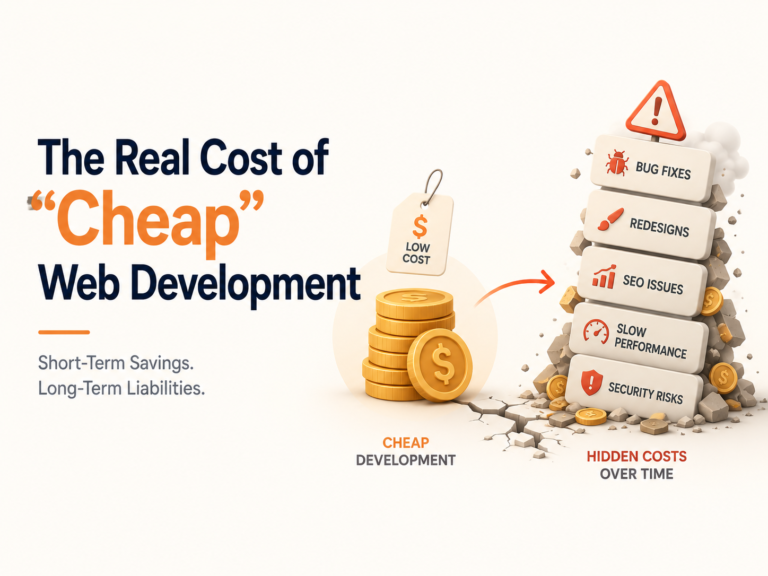
The most expensive mistake a founder can make is “polishing a sinking ship.”
If you choose a redesign when your site actually needs a rebuild, you fall into the Technical Debt Trap. You spend $20,000 on beautiful new UI, but mid-build, your developers realize the legacy backend can’t support the new dynamic features.
You end up paying for a rebuild anyway—but only after wasting three months and your entire design budget. In 2026, where AI-driven search engines (like SearchGPT and Perplexity) prioritize site speed and “Interaction Fidelity” (INP), a beautiful but slow site is essentially invisible. Proper upfront diagnosis eliminates this risk.
How to Evaluate Your Website (Without Being Technical)
You don’t need an engineering background to perform a meaningful first-pass audit. Use these three tests.
The Mobile Jitter Test
Open your site on a mid-range Android device — not the latest flagship. Scroll through the page. Is the experience smooth, or is there visible lag and stutter? Jitter on scroll is a reliable indicator of JavaScript thread congestion — a backend and code-architecture issue, not a design issue.
The Third-Party Weight Test
Open Chrome DevTools → Network tab → reload the page. Filter by domain. Count how many unique third-party domains are loading scripts (analytics, chat widgets, ad pixels, heatmaps). More than 6–8 active third-party scripts is a common cause of delayed Time to Interactive. This is infrastructure, not aesthetics.
The Editor Experience Test
Ask your marketing team: “How long does it take to update a landing page headline or swap a hero image?” If the answer involves filing a ticket, waiting for a developer, and a deployment cycle — your CMS architecture is the bottleneck. A modern Headless CMS should allow non-technical editors to make these changes in under two minutes.
Is a Rebuild Worth the Cost?
The reframe that changes this conversation: Total Cost of Ownership (TCO), not project cost.
TCO (defined): The full financial cost of a system over its lifetime, including hosting, maintenance labor, security patching, and the opportunity cost of constrained feature development.
Cost Factor
Legacy Site
Rebuilt Modern Site
Monthly hosting
$200–$800 (dedicated server)
$20–$80 (Serverless/Edge)
Security patches
Manual, expensive, risky
Automated via managed platforms
Developer maintenance time
30–50% of sprint capacity
5–15% of sprint capacity
Feature deployment speed
Weeks
Hours to days
Scalability under traffic spikes
Requires manual intervention
Auto-scales by default
A rebuild reduces long-term maintenance costs significantly. Modern Serverless and Edge hosting architectures are not just cheaper — they are structurally more secure, eliminating entire categories of infrastructure vulnerabilities that older dedicated servers carry.
When you calculate the 24-month TCO comparison, a rebuild frequently costs less than maintaining a legacy system — before accounting for the revenue impact of improved performance.
Rebuilding for AI-Era SEO
A rebuild doesn’t just protect your Google rankings; it optimizes your site for the Generative Engine Optimization (GEO) era.
URL Mapping: We inventory every high-authority page to ensure 301 redirects preserve 100% of your hard-earned link equity.
LLM-Ready Structure: A modern rebuild uses clean, semantic HTML and advanced JSON-LD Schema. This allows AI agents to “scrape, understand, and cite” your content. If an AI crawler can’t easily parse your legacy code, you won’t show up in AI-generated answers.
Fixing Technical Debt: A rebuild wipes out years of broken tags, crawl errors, and duplicate content that a redesign simply hides behind a new coat of paint.
Why Most Teams Focus on Design Instead of Performance
Design is visible. Performance is invisible.
A new homepage is something a founder can show their board. A 300ms reduction in Time to First Byte is something a founder struggles to explain in a meeting. This asymmetry creates a systematic bias toward visible improvements over structural ones.
The reframe: Speed-to-Revenue.
Research consistently shows that a 1-second improvement in page load time produces a 10–20% lift in conversion rates. At $100,000 per month in revenue, that is $10,000–$20,000 in monthly revenue recovered — from a metric most teams never examine.
Performance is not a technical vanity metric. It is a revenue lever. Treating it as such changes every prioritization conversation.
Fix the Right Problem, Not Just the Surface
The instinct to redesign is understandable. Design is tangible, fast, and produces something that looks different in a screenshot. But most websites that aren’t performing aren’t underperforming because they’re ugly. They’re underperforming because they’re slow, architecturally constrained, or forcing technical workarounds that compound over time.
Strategy precedes code. The most important hour spent on any website project is the diagnostic hour — before any design tool is opened or any repository is created.
Don’t build for today’s look. Build for tomorrow’s scale.
Not sure where your site stands?
Splitbit offers a free 30-minute Website Diagnosis Call for founding teams and product leads. We’ll audit your Core Web Vitals, review your CMS setup, and give you a clear recommendation — redesign, rebuild, or neither — with no obligation. You’ll walk away knowing exactly what your site needs and what it will cost. No jargon. No upsell.➤ Book Your Free Diagnosis Call → splitbit.io
Frequently Asked Questions
CSS changes affect only the presentation layer—colors, spacing, typography, and layout.
They do not impact site logic, data storage, or content delivery.
CMS migration changes how content is stored, structured, and retrieved at the database level.
This impacts workflow speed, security, scalability, and how easily your team can publish without developer support.
With a proper URL mapping strategy, a rebuild protects and can improve rankings.
301 Redirects: Preserve backlink authority by mapping old URLs to new ones.
Backlink Integrity: External links remain effective when redirects are correct.
Rebuilds also fix technical SEO debt—crawl errors, broken canonicals, missing structured data—often improving rankings within 60–90 days.
The tipping point is when your team spends more than 25% of time on maintenance.
If small updates take weeks or break other areas, you’re paying a “Legacy Tax”.
At that stage, a rebuild often becomes more cost-effective within 12–18 months.
Rarely, and only slightly.
Basic optimizations like image compression or removing unused CSS offer small gains.
Slow performance usually comes from backend architecture issues:
Synchronous JavaScript execution
Unoptimized database queries
Missing CDN setup
Heavy third-party scripts
If your performance score is below 60, a redesign alone won’t solve it.
For an early-stage startup (5–15 pages):
$12,000 – $25,000 for a professional rebuild
While a redesign may cost less upfront (~$7,000), a rebuild delivers long-term value through: