Why Businesses Struggle to Move Beyond Legacy Systems
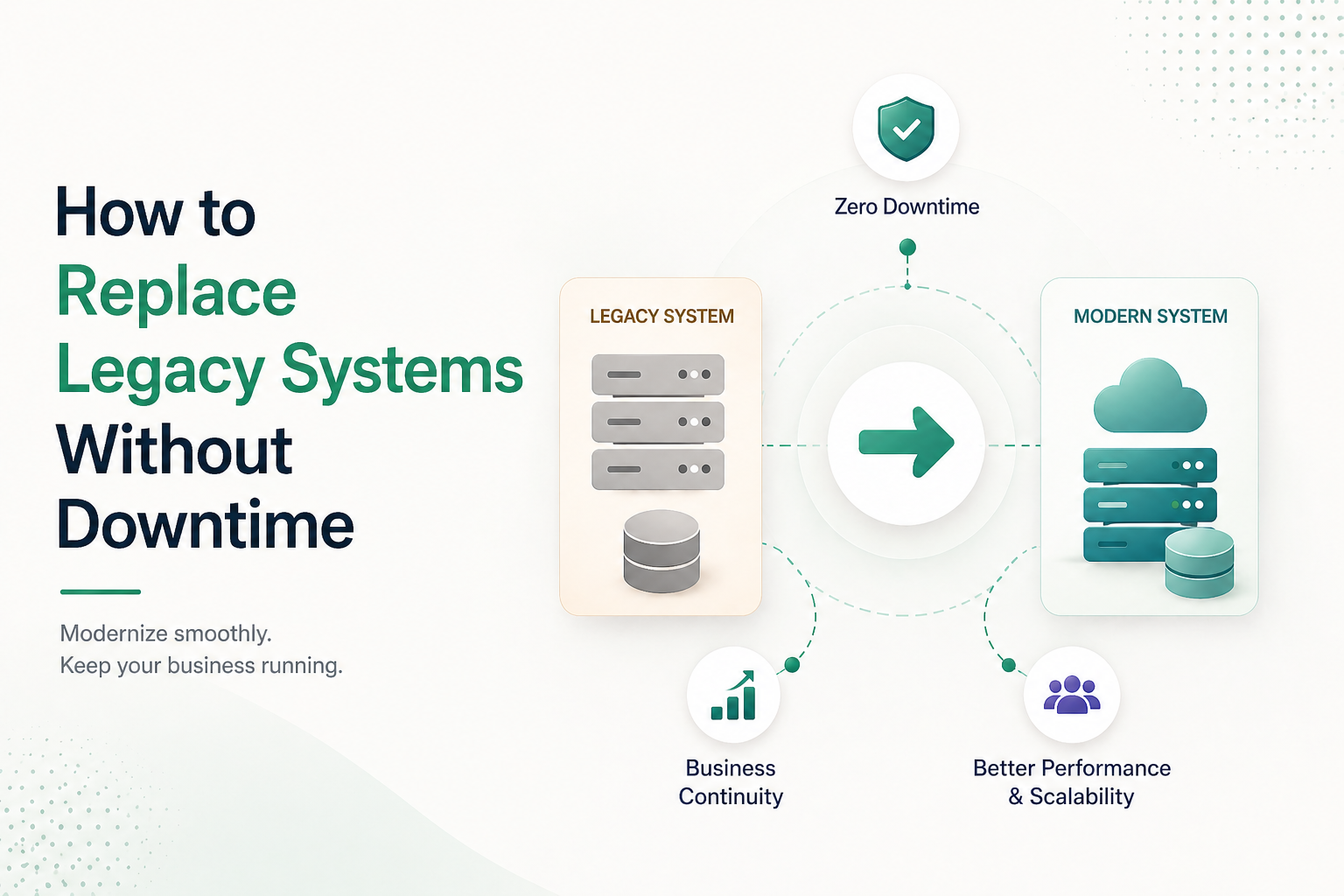
Most founders searching for how to replace outdated business software quickly realise the problem isn’t the software — it’s the decision to act on it. Modernization feels like a cost centre. In practice, it’s a growth unlock disguised as a technical project. Founders who understand that distinction move faster and at lower risk than those who treat it as an IT decision.
Most founders don’t choose to stay on old systems. They inherit them, delay replacing them, or deprioritize the work because revenue targets and product launches feel more urgent. That logic is understandable — and expensive. Here’s what it misses: your competitors aren’t waiting. While your team patches workarounds, a competitor on a modern stack is shipping features, closing deals, and scaling with less effort. Last quarter, you may have lost a deal because you couldn’t demo a pricing model your competitor launched in 48 hours. That’s not a technology problem. That’s a business constraint wearing a technology mask.
The Psychological Barrier No One Talks About
Legacy systems survive not because they’re optimal — but because they’re familiar. Systems that have run for years feel stable, even when they’re quietly capping growth. Replacing them can feel like pulling out a foundation while the building is still standing.
That instinct is understandable, but it’s costly. “It still works” is the single most common reason companies delay until the system forces a crisis — instead of planning the transition on their own terms.
The Real Position You’re In
Every quarter you delay, three things compound: switching costs grow as more workflows pile onto the old system; the risk of a forced migration rises; and your competitive gap widens against companies that already moved.
The numbers reflect this. 70% of IT budgets in legacy-heavy companies go toward maintaining old infrastructure, leaving little room for systems that actually drive growth (McKinsey/Gartner). And 74% of customer experience leaders cite legacy constraints as the reason they’re now being forced into tech investment (ExecsInTheKnow, 2025).
What Legacy Systems Really Are — and Why They Still Exist
Legacy isn’t a technology designation. It’s a business condition — when your systems have become the ceiling on your growth, not the floor.
Most founders picture legacy software as something ancient, dusty, and obviously broken. The reality is subtler and more dangerous. A legacy system is any system that:
- No longer scales with your growth — it handles what you had, not what you’re building toward
- Resists integration — modern tools, APIs, and workflows can’t connect to it without expensive custom work
- Demands manual workarounds — your team has quietly built processes around the system because the system itself can’t keep up
If your best engineer says they’re afraid to touch a core part of your codebase, you already have a legacy problem — regardless of when it was built.
These systems persist because they once worked well and may still handle core processes — billing, inventory, HR, customer records — reliably enough that replacement feels unnecessary. But reliability and capability are different things. A system can run without failing while still failing your business.
Legacy systems survive because they’re familiar, not because they’re optimal.
That distinction is where the real cost hides.
Legacy Systems vs Modern Business Software: What Changes?
The shift isn’t only technical. It determines how fast your business can move, adapt, and compete.
When your competitor launched a freemium tier last quarter, could your billing system support that model within a week? If not, that’s not a tech gap — it’s a business cost. The table below makes that gap concrete.
| Business Dimension | Legacy System | Modern System | Business Translation |
|---|
| Pricing or product changes | 3–6 weeks of engineering | Hours in a config panel | Competitors iterate; you wait on a sprint cycle |
| Integrating new tools | Weeks of custom development | API-native, days | Your stack grows with your strategy, not against it |
| Data access for decisions | Scheduled reports, days old | Real-time dashboards | You’re making decisions on last month’s reality |
| Security and compliance | Reactive patching | Built-in controls, continuous | One unpatched vulnerability can become a liability event |
| Onboarding new employees | Weeks to learn legacy workflows | Standardised, documented | Slow onboarding compounds your hiring cost |
| Cost of manual workarounds | Hidden — absorbed by staff time | Minimal | The spreadsheet your team rebuilds every month-end has a salary attached to it |
The pattern across every row is the same: legacy systems don’t just slow down your engineering team — they slow down your entire business operating rhythm.
The Real Reasons Companies Delay Modernization
Founders often assume delay comes down to cost. In practice, the blockers are more specific — and more persistent.
1. Fear of Downtime Most modernization hesitation traces back to a single story: a failed cutover that took a company offline for days, lost transactions, or corrupted data. That kind of event becomes organizational memory and it quietly blocks rational planning for years afterward. The fear isn’t irrational but it’s applied to migration approaches that no longer reflect how transitions are done.
2. Unclear ROI Infrastructure investment is hard to justify when the return isn’t visible until after the switch. Without a clear line from modernization to margin, speed, or revenue, it loses to a new sales hire or a product feature.
3. Dependency Lock-In Most legacy systems have an ecosystem built around them: custom scripts, manual processes, and critically one or two internal people who “know how it works.” That knowledge concentration creates a risk that makes even a well-planned migration feel unsafe.
4. Human and Organizational Resistance Change fatigue and competing priorities operate at different levels. At the team level: retraining, workflow disruption, short-term productivity loss. At the leadership level: absorbing friction for a payoff that feels distant. Together, they compound into indefinite delay.
5. Vendor Lock-In and Contract Complexity An underappreciated blocker: exit clauses, data portability restrictions, and multi-year licensing agreements that make switching feel legally or financially prohibitive before a single line of code is touched. Many founders discover the real cost of their legacy system only when they try to leave it.
6. Misplaced Confidence The most dangerous delay isn’t driven by fear — it’s driven by the belief that things are fine. “Our system works” is what companies say until the quarter they lose a major client because they couldn’t deliver a feature, a pricing model, or an integration their competitor already had. By then, the transition is no longer planned — it’s forced.
Every quarter you delay, the cost of switching increases and your competitive window narrows. The system isn’t standing still — it’s accumulating debt.
Hidden Costs of Outdated Software That Quietly Drain Growth
The most dangerous cost doesn’t appear on any financial report. It shows up in slower sales cycles, bloated headcount, missed deals, and a team perpetually firefighting instead of building. This is how outdated software slowing business performance becomes normalized — not as a system failure, but as an operating constraint teams quietly work around.
Most founders see the maintenance line item. Almost none calculate the operational drag, the revenue they couldn’t capture, or the compounding opportunity cost of a system that quietly caps everything built on top of it.
📊 Estimate Your Legacy Tax
Take the hours per week your team spends on manual workarounds, data re-entry, and system-related reconciliation. Multiply by your average fully-loaded hourly rate. Multiply by 52.
That number — which for most growing companies runs well into six figures annually — is what your outdated system charges you every year. It just never sends an invoice.
What You’re Actually Paying For
| Hidden Cost Category | Business Translation | How It Shows Up |
|---|
| Manual Reporting & Reconciliation | Finance rebuilds the same reports every cycle instead of analysing them | 15–20% of a finance team’s capacity solving a software problem with headcount |
| Bloated Operational Headcount | You hire people to compensate for what automation should handle | Every data-entry or coordination role built around a system gap is a legacy tax disguised as a hiring decision |
| Slower Customer Onboarding | Every extra day in onboarding is a churn risk | If competitors onboard in 2 days and you take 10, that gap compounds across every new customer |
| Security and Compliance Exposure | Unpatched systems aren’t just a technical risk — they’re a regulatory liability | One breach or compliance failure can exceed the entire modernisation project in remediation effort |
| Pricing and Revenue Inflexibility | You can’t offer the model the market wants because your billing engine won’t support it | Every deal requiring a manual workaround is a sales cycle you’re managing by hand |
| Engineering Avoidance | When senior engineers won’t touch a codebase, nothing gets built on it | Product velocity stalls — in a competitive market, this alone becomes an existential risk |
The Reframe That Changes the Budget Conversation
When modernisation is presented as “tech cleanup,” it competes with revenue-generating initiatives — and loses.
The leaders who win that internal debate reframe it as a business risk calculation: operational drag that’s measurable, revenue that’s provably constrained, and compliance exposure that could cost multiples of the project to remediate after the fact. Presented that way, it’s no longer an IT line item. It’s a financial decision with a traceable return.
That’s the conversation that moves boards. The operational evidence makes the case better than any technology argument.
Clear Warning Signs It’s Time to Replace Old Business Systems
Every system shows friction at some point. The question isn’t whether your legacy system has problems — it’s whether those problems are limiting your ceiling or just adding drag. Those are different situations requiring different responses.
Friction is manageable. A ceiling is not.
The signals that indicate a ceiling, not friction:
Your system is shaping your strategy rather than serving it. When product decisions, pricing models, or market entry moves are filtered through what the system can support, the architecture has become your business plan. That’s the line.
New hires are being slowed by the system, not the role. When onboarding time is dominated by learning workarounds rather than learning the job, you’re compounding your hiring investment with a legacy tax on every person you bring in.
Your best technical people are routing around a core system. Not because it’s hard — but because it’s risky. When senior engineers build new features adjacent to a system rather than on top of it, you’ve lost the compounding value of your own infrastructure.
Growth events expose the system rather than stress-test it. A new enterprise client, a product launch, a market expansion — if any of these required emergency patching, manual overrides, or a freeze on other work, you’re not scaling. You’re surviving.
The gap between what you can offer and what the market expects is widening. If competitors are consistently able to move on product, pricing, or customer experience faster — and the reason is structural, not executional — that gap has a direction, and it isn’t narrowing on its own.
These signals clarify when to replace old business systems — not based on age, but based on whether the system has shifted from supporting growth to constraining it.
The decision threshold:
One signal is a flag. Two or more signals appearing simultaneously — particularly when they span technical, operational, and commercial dimensions — is a mandate. At that point, the question shifts from whether to replace to how to sequence the transition without disrupting the business that depends on the current system.
The founders who move well aren’t the ones who acted on the first warning sign. They’re the ones who had a plan ready before the signals converged.
Common Transition Errors That Increase Risk and Downtime
Most modernization failures aren’t technical. They’re planning failures that become technical emergencies. The risk patterns outlined below consistently appear in companies replacing legacy systems in business environments where sequencing, ownership, and validation were underestimated.
Treating Replacement as a Big Bang
The highest-risk approach is replacing everything at once. One company’s full ERP cutover took 72 hours to execute and two months to recover from. Phased transitions exist because complex systems never deliver the predictability that all-at-once migrations assume.
Ignoring Business Workflows
Technology migrates cleanly. Workflows don’t. Teams build invisible processes around system limitations — manual steps, informal checks, undocumented dependencies. When those aren’t mapped before migration, operations break in ways nobody anticipated and nobody owns.
Underestimating Data Migration Complexity
Inconsistent formats, undocumented fields, and compliance-sensitive records all surface after work has started not before. The consequence is broken reporting, failed audits, and customer-facing errors at exactly the wrong moment.
Overengineering Early
Building for scale you haven’t reached creates fragility and consumes engineering capacity the product needs. Companies that overbuild spend the following 18 months simplifying what they just built.
Underestimating the People Problem
Companies don’t forget people — they systematically underfund adoption relative to technology spend. A system nobody uses correctly isn’t a modernization. It’s an expensive training failure that quietly resurfaces as workarounds and shadow spreadsheets.
Failing to Sunset the Old System
Many migrations “complete” — and then both systems run indefinitely because validation never quite finishes. Within months there are two sources of truth, double maintenance overhead, and a team that doesn’t know which system to trust. Knowing when to cut the cord is as consequential as the migration itself.
The companies that fail at modernization rarely make one catastrophic mistake. They make five small ones — and the combination is what breaks them.
Real-World Example: From Legacy Bottlenecks to Scalable Growth
A mid-stage B2B SaaS company — approximately $4M ARR, 35-person team [A growing subscription software business making about ₹33–35 crore annually (approx conversion depending on rate), with a small but structured team and proven customers — past startup risk, but not yet enterprise-scale] — was running a custom billing engine built during their first year of operation. It had done its job. By the time the company reached Series A, it was doing it badly (similar to documented cases like Basecamp’s billing rework).
Adding a new pricing tier required three to four weeks of engineering work. Finance ran manual reconciliation every month-end to catch the discrepancies the system generated. Customer billing errors were increasing. Senior engineers had quietly stopped proposing features that would require touching the billing layer.
Rather than rebuilding from scratch, they took a narrower path: they built a modern billing layer in parallel, synced data between the old and new systems during a validation period, migrated customers in cohorts of roughly 20 percent at a time, and ran side-by-side invoice validation before each cohort switched over.
For eight weeks, the team processed the same invoices in both systems to validate outputs. It was tedious, resource-intensive work — and it was the reason there was zero customer-visible impact on cutover day.
The result: pricing experiments that previously required engineering sprints could be configured in hours. Billing disputes dropped. Revenue reporting became reliable for the first time. The finance team recovered roughly 15 percent of their weekly capacity from manual reconciliation.
The discipline that made it work was consistent: every sequencing decision was tested against one question — does this create risk for a customer billing experience? When the answer was unclear, they slowed down. That single constraint is what kept the project credible from start to finish.
A Step-by-Step Approach to Upgrading Old Business Software Without Downtime
A phased modernization of a core business system takes typically 3-9 months depending on complexity (Gartner benchmark). The companies that succeed plan for that timeline. The ones that don’t budget 60 days — and run out of patience before they run out of work.
This framework is sequenced deliberately. Steps 1 through 3 should be completed before any vendor is contacted or evaluated. Steps 4 and 5 should overlap for a minimum of four to six weeks.
Step 1: Map Critical Business Functions (Owned by: Product + Operations)
Identify every system that directly touches revenue, customers, compliance, or payroll. These are your highest-risk migration points and your sequencing constraints. Everything else follows from this map.
Step 2: Define Success Metrics (Owned by: Leadership + Product)
Tie the replacement to measurable business outcomes — faster sales cycles, reduced support volume, improved reporting accuracy, lower operational overhead. If you can’t define what “done” looks like in business terms before you start, you’ll define success retroactively — usually to justify decisions already made.
Step 3: Segment by Risk Level (Owned by: Engineering + Product)
Prioritize replacing low-risk, non-revenue-critical systems first. Treat mission-critical systems as the final phase, not the proving ground. Confidence built on low-risk wins makes high-risk transitions safer.
Step 4: Build in Parallel (Owned by: Engineering)
Run the new system alongside the old. Validate outputs before committing to the switch.
This single step is where most successful modernizations diverge from failed ones (McKinsey: parallel validation cuts downtime 50-70%). Running parallel systems feels like double the work — because it is. It’s also your only real insurance policy. The companies that skip this step to save time are the ones that spend months recovering from a cutover that went wrong.
Step 5: Migrate in Phases (Owned by: Engineering + Operations)
Move functions, teams, or customer cohorts incrementally rather than simultaneously. Each phase is a controlled experiment, not a commitment.
Step 6: Monitor and Maintain Rollback Capability (Owned by: Engineering)
Your ability to revert quickly is as important as your ability to move forward. Define rollback triggers before each phase begins — not after something breaks.
Step 7: Sunset the Old System Deliberately (Owned by: Engineering + Leadership)
Once stability is validated across all phases, retire legacy components in controlled stages with a defined end date. Open-ended parallel operation creates the maintenance and trust problems described in the previous section.
The discipline across every phase is simple: control risk before exposure. Successfully upgrading old business software without downtime is less about speed and more about sequencing, validation, and deliberate cutover control. If you’re unsure where your current systems sit on this framework, that’s the most valuable question to answer before evaluating any vendor or migration approach — whether internally or with an external advisor who’s executed this before.
Modernization Paths: Cloud, Hybrid, Rebuild, or Integration?
Not every company needs a custom rebuild. Not every company needs the same path. The right choice depends on where your legacy friction actually lives — and what your business can absorb during the transition (Gartner paths framework).
Move existing systems and infrastructure to cloud-hosted environments.
Best fit for: Early-stage companies moving off on-premise infrastructure, teams distributed across geographies, or businesses that need elastic scaling without infrastructure ownership.
Hybrid Modernization
Keep stable legacy components while modernizing customer-facing or high-friction layers.
Best fit for: Companies where core backend logic is still reliable but integration surfaces and user-facing systems are the bottleneck. Reduces risk by preserving what works while replacing what doesn’t.
System Rebuild
Replace the legacy system with a purpose-built architecture.
Best fit for: Companies where technical debt has made the existing system genuinely unmaintainable — not just inconvenient — or where the system’s architecture fundamentally can’t support product direction. This is the highest-cost, highest-risk path and should be the last option evaluated, not the first (Forrester: rebuilds 2-3x costlier than integration).
API-Led Integration
Wrap legacy systems with modern interfaces without replacing the underlying system.
Best fit for: Companies where the legacy system is functionally stable but isolated — the problem is connectivity, not capability. Extends system life while reducing integration friction and buying time for a more deliberate replacement.
Vendor Replacement with a SaaS Product
Replace a custom or legacy system with an existing commercial product — replacing a homegrown billing engine with Stripe Billing, or a custom CRM with HubSpot.
Best fit for: Companies whose legacy system handles a non-differentiating function that a mature SaaS product already solves. This path is consistently underconsidered. Many founders assume they need a rebuild when what they need is the right tool.
If you’re pre-Series B and your core product isn’t the legacy system itself, lean toward API integration or vendor replacement before considering a custom rebuild. Rebuilds at early growth stage almost always cost significantly more than initial estimates — in time, engineering capacity, and organizational attention.
How to Prepare Your Business Before Replacing Legacy Systems
Preparation reduces migration risk more than any technology decision (40% risk cut [McKinsey]). Budget four to eight weeks for this phase before evaluating any vendor. Companies that skip it spend months in crisis later — not because the technology failed, but because the groundwork wasn’t there to support it.
Get Written Alignment on What Success Looks Like
Define what the migration should deliver at Month 3, Month 6, and Month 12 in business terms. Modernization projects rarely get cancelled because they’re failing — they get cancelled because expectations were never set and the first sign of turbulence looks like failure.
Audit Every Dependency — Including the Informal Ones
Document integrations, compliance requirements, and data flows. Then go further: list every report, dashboard, or data export anyone in the company relies on. These informal dependencies are almost never documented — and almost always the ones that break first.
Define Ownership Across Functions
Assign explicit responsibility across product, engineering, operations, and finance before any vendor conversation begins. Modernization failures are frequently ownership failures — decisions that fall into gaps between teams or accountability that exists on paper but not in practice.
Treat Change Management as a Workstream, Not an Afterthought
Good change management starts in the preparation phase — communicating why the change is happening, what the transition will feel like, and what support is available. Teams that understand the rationale adopt faster and surface problems earlier.
Build a Risk Register
Track security exposure, data classifications, compliance obligations, and operational dependencies in one document. This becomes your decision-making reference throughout migration and your evidence base if leadership needs re-alignment mid-project.
If you answered “not sure” to any of these steps, that’s your most valuable starting point — and the least expensive place to close a gap.
How Splitbit Supports Safe and Phased System Modernization
Splitbit approaches modernization with a business-first lens.
Our process focuses on:
- Risk-aware migration planning
- Phased rollouts instead of disruptive cutovers
- Secure data handling aligned with modern cloud responsibility models
- Maintaining operational continuity during transitions
- Designing architectures that scale without overengineering
Rather than pushing tool-heavy transformations, Splitbit emphasizes stability, clarity, and incremental progress — especially for growing startups that can’t afford downtime.
Final Thought for Founders
The companies that modernize well don’t do it because they had more time, more budget, or less risk. They do it because they made the decision before the system made it for them.
Legacy constraints don’t announce themselves as strategic threats. They accumulate quietly — in workarounds, avoided codebases, deals not won, and pricing models that couldn’t be launched. By the time the cost is visible, the window for a planned transition has usually already narrowed.
The question has never been whether to modernize. It’s whether you do it on your terms — with a defined scope, a staged approach, and the runway to execute carefully — or under pressure, in response to a crisis that a well-timed decision would have prevented.
If this article described your situation in recognizable terms, the most valuable next step isn’t a vendor evaluation. It’s an honest internal audit of where your highest-risk exposure actually sits.