Why Your Website Isn’t Showing on Google (2026 Guide + Fixes)
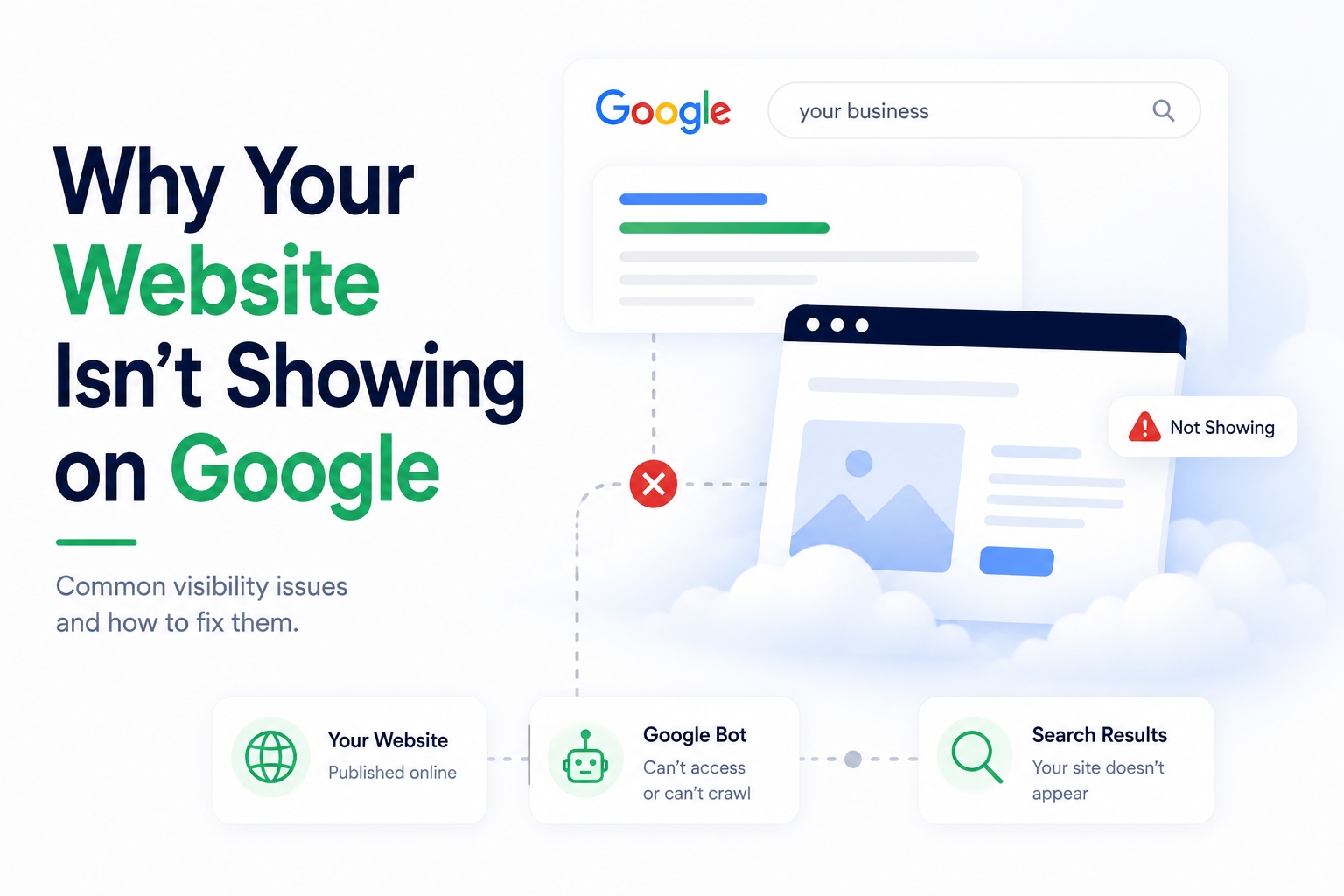
Your Website Is Live—So Why Isn't It Showing on Google? You spent anywhere from $5,000 to $15,000 on a professionally designed website. The animations are smooth. The brand colors are on point. You hit "Publish," shared it on LinkedIn, and waited. The traffic never came. If your website is not showing on Google, you are …
Your Website Is Live—So Why Isn’t It Showing on Google?
You spent anywhere from $5,000 to $15,000 on a professionally designed website. The animations are smooth. The brand colors are on point. You hit “Publish,” shared it on LinkedIn, and waited.
The traffic never came.
If your website is not showing on Google, you are not alone. This is a devastatingly common hurdle for early-stage founders — one that comes down to SEO visibility, indexing or ranking issues most never think to check. The assumption is that building a website is synonymous with being discoverable. It isn’t. Data from Ahrefs confirms a staggering reality: 96.55% of all web pages receive zero organic traffic from Google. When you account for the fact that 94% of pages have zero external backlinks, the gap between “online” and “found” becomes a chasm.
The hard truth: In 2026, a website without a visibility strategy is a warehouse with no signage and a locked door. Even worse, with 60% of searches now ending as “zero-click” due to AI-generated summaries, if your site isn’t structured for modern search, it isn’t just invisible to customers — it is invisible to the AI models that now act as the internet’s gatekeepers.
QUICK ANSWER Why Your Website Isn’t Showing on Google. If you are asking why your website is not showing up on Google, it usually comes down to four issues:
• The website is not indexed by Google • Technical SEO problems on the website • Content does not match what people search for • Website lacks authority (no backlinks or trust signals)
Fixing visibility is not one task. It is a sequence: get indexed → fix technical issues → create intent-based content → build authority.
How to Check If Your Website Is Indexed on Google
If you have been asking why your website isn’t showing up on Google, the first step is not to fix anything — it is to check whether Google can see your site at all.
This is where most founders skip a step. They assume visibility is a ranking problem and start optimizing content — when the actual issue is that Google has never indexed their site in the first place. The two problems have entirely different solutions. Here is how to confirm your indexing status in under five minutes.
Method 1: The site: Operator
Open Google and type the following into the search bar, replacing the URL with your own: site:yourwebsite.com
This query returns every page from your domain that Google has currently indexed. If results appear, Google knows you exist. If the result is blank — with a message like “Your search did not match any documents” — your website has an indexing problem, not a ranking problem.
One important nuance: a low number of results is also worth noting. If your website has 40 pages but the site: query returns only 6, Google is finding and indexing only a fraction of your content. That gap matters.
Method 2: Google Search Console — URL Inspection.
The site operator gives you a quick read. Google Search Console (GSC) gives you a precise one.
Inside GSC, navigate to the URL Inspection tool and enter your homepage URL. Google will tell you directly whether that specific page is indexed, when it was last crawled, and whether any issues blocked the process.
Start with your homepage and your top two or three service pages. These are the pages that carry the most commercial weight — if they are not indexed, nothing else you do will generate organic traffic. If GSC returns the status “URL is not on Google,” it will also show you the likely reason. That reason is your starting point for Section 5.
Method 3: The Page Indexing Report
For a site-wide view rather than a page-by-page check, go to GSC → Indexing → Pages. This report categorizes every URL Google has encountered on your site into two primary groups: Indexed and Not Indexed.
Pay particular attention to pages listed under “Discovered — currently not indexed.” This means Google found these pages but chose not to index them — often a signal of thin content, crawl budget constraints, or internal linking gaps. It is a different problem from a page Google cannot access at all, and it requires a different fix.
What Your Results Tell You: The outcome of this check determines everything that follows.
If your site is indexed but not ranking, the problem is likely technical SEO, content gaps, or authority — all covered in the next section. If your site is not indexed, or only partially indexed, the problem starts earlier in the sequence. No content strategy, no backlink campaign, and no design refresh will move the needle until Google can reliably access and store your pages.
That distinction — indexed but not ranking versus not indexed at all — is the most important diagnostic split in this entire guide. Know which side you are on before you spend a single hour on anything else.
How Google Finds and Ranks Your Website
Google doesn’t browse the internet the way a person does. It deploys automated programs called crawlers (or “spiders”) that systematically follow links across the web, reading the content of every page they can access. This process is called crawling.
Once a page is crawled, Google processes the information to understand its “intent” and stores it in a massive index — essentially a structured catalog of the web. Only indexed pages are eligible to appear in search results.
After indexing, Google’s ranking algorithms evaluate hundreds of signals to determine which pages deserve priority placement for a given query. In 2026, those signals fall into three updated categories: technical health, content relevance (E-E-A-T), and topical authority.
How Google Processes Your Website
Crawling
Bots follow links & read pages
↓
→
Indexing
Content stored in Google’s catalog
↓
→
Ranking
Pages scored against 200+ signals
Founder's Takeaway
Getting ranked isn't one problem — it's three sequential problems. You must be crawlable before you can be indexed, and indexed before you can be ranked.
Search Today: Google + AI Answers
The landscape has fundamentally shifted: search visibility in 2026 is no longer just about ranking on page one of a traditional results page.
Google's AI Overviews now appear for nearly 48% of all searches, according to BrightEdge's 2026 Generative Parser research. These are the AI-generated summaries that appear above the standard blue links and directly answer a user's question—often without them ever needing to click through to a website.
Add to this the rise of "answer engines" like Perplexity AI and Gemini, which synthesize information from across the web and return a single, cited response. The result? Zero-click searches have become the new baseline for informational queries. Users get their answer from the AI summary and move on.
Content that is structured clearly and answers specific questions has a higher chance of being cited in AI-generated responses.
This means your visibility strategy must now account for two distinct surfaces:
Traditional SERP Rankings: Blue links, featured snippets, and local packs
AI Citations: Appearing as a cited source in AI Overviews, Perplexity answers, and Gemini responses
Failing to appear on either means you are, functionally, invisible—regardless of how well your website looks.
The Real Reasons Your Website Is Invisible
Most founders diagnose their traffic problem as a single issue: "bad SEO." In reality, website invisibility almost always traces back to one or more of three distinct failure points: Indexing, Technical SEO, and Content & Authority. Each requires a different solution.
The Real Reasons Websites Don't Rank
Indexing Issues Google can't find or crawl your pages
Indexing Issues: When Google Cannot Find Your Website
Think of indexing as a digital building permit. Before your business can legally operate in a city, it needs permits on file. Before Google can rank your content, it needs a clear, unobstructed invitation to enter and understand your site.
That invitation comes in two forms:
robots.txt is a plain-text file at the root of your website that tells crawlers which sections of your site they're allowed to access. A misconfigured robots.txt—say, one left over from a staging environment with Disallow: /—will actively block Google from crawling your entire site.
XML Sitemaps are structured maps of your website that tell Google which pages exist and how they relate to each other. Submitting a sitemap through Google Search Console (GSC) dramatically accelerates discovery, particularly for new websites.
Common indexing failures include:
robots.txt accidentally blocking key directories.
Sitemaps referencing URLs that don’t match canonical versions (e.g., http vs https).
"Noindex" meta tags left on production pages from development builds.
Orphaned pages with no internal links pointing to them.
Founder's Takeaway: Before you diagnose anything else, go to Google Search Console and run a URL Inspection on your homepage. If it reads "URL is not on Google," you have an indexing problem, not a content problem.
Technical SEO Problems That Block Visibility
Imagine walking up to a retail store, pushing the door—and it barely opens. You discover the aisles are cluttered and the lights are flickering. You leave in under 15 seconds.
That is precisely what happens when a website has poor Core Web Vitals. Since the March 2026 Core Update, Google treats these three metrics as a high-priority "quality filter" for rankings:
These metrics directly affect how Google evaluates user experience on your website.
Metric
What It Measures
Good Threshold
LCP (Largest Contentful Paint)
How fast the main content loads
≤ 2.5 seconds
INP (Interaction to Next Paint)
Responsiveness to user input
≤ 200 milliseconds
CLS (Cumulative Layout Shift)
Visual stability (does content jump?)
≤ 0.1
Beyond Core Web Vitals, other technical blockers include:
Broken internal links that fragment crawler pathways.
Duplicate content without canonical tags, splitting authority across multiple URLs.
Non-mobile-responsive layouts: As of July 2024, Google uses mobile-first indexing for 100% of websites—if your mobile site fails, your desktop rankings will follow.
Slow server response times: A TTFB (Time to First Byte) over 800ms is a major liability; modern high-performance sites aim for under 200ms.
Founder's Takeaway: Run your site through Google's PageSpeed Insights (pagespeed.web.dev). If your mobile performance score is in the "Poor" red zone, you are facing a direct ranking penalty—fix it before investing in any new content.
Content Gaps: When Your Website Does Not Match What People Search
Most websites fail not because they lack content, but because they target the wrong keywords.
This is arguably the most expensive mistake founders make: writing for themselves instead of for their buyers. A SaaS founder might write a homepage that leads with "Pioneering the Future of Workflow Intelligence." Their potential customer is typing into Google: "how to automate client onboarding for my agency."
Those two things never meet. This is a content gap—the distance between what your website says and what your target audience is actually searching for.
The concept that governs this is Search Intent: the underlying goal behind any given query. Google classifies intent into four types:
Informational ("how does X work")
Navigational ("brand X login")
Commercial ("best X for small business")
Transactional ("buy X plan")
Most early-stage websites only create content for their own narrative and miss the informational and commercial intent stages entirely.
The second dimension is E-E-A-T, Google's quality framework for content evaluation:
Experience: Has the author demonstrably used the product or solved the problem?
Expertise: Do they have subject matter depth?
Authoritativeness: Do credible sources cite or link to them?
Trustworthiness: Is the site accurate, transparent, and secure (HTTPS)?
Per Google’s Search Quality Rater Guidelines (2025 update), E-E-A-T is heavily weighted for content that affects health, financial, or major life decisions—though it influences rankings broadly across all industries.
Founder's Takeaway: Pull your top 10 target keywords into Google. Read the top three results for each. If your content doesn't directly and more thoroughly answer the same question, you have a content gap to fill.
Authority and Trust: Why Google Does Not Prioritize Your Website
Even a technically sound, well-written website can languish on page six if it lacks Topical Authority—the accumulated trust signal that comes from other credible websites linking to yours.
Backlinks remain one of Google's strongest ranking signals. A link from a respected industry publication, a university, or a recognized media outlet signals to Google that your content is worth endorsing. A newly launched website with no backlinks is an unknown quantity in Google's model.
Building authority is a long-term play that involves:
Digital PR: Getting mentioned and linked in industry publications.
Guest contributions: Writing expert pieces for established platforms in your niche.
Strategic partnerships: Co-marketing with complementary businesses that already have authority.
Original research: Publishing proprietary data that others will cite and link back to.
Warning: Purchased link schemes and "link farms" remain in direct violation of Google's spam policies and routinely result in manual penalties that can remove your site from search results entirely.
Why Having a Website Does Not Guarantee Traffic
The internet hosts over 1.2 billion websites as of early 2026. The overwhelming majority receive near-zero organic traffic. Existence is table stakes; visibility is the actual competitive advantage.
Consider the B2B buyer's journey today: they search a problem-framing query, read an AI Overview summary, click through to one or two sources that appear credible, and arrive at a vendor decision weeks later. If your website is absent from that journey, you simply don't exist in their consideration set.
Business Impact of Poor Visibility
The business case for fixing visibility is direct and quantifiable. According to 2025–2026 industry benchmarks, SEO-driven inbound leads close at a rate of approximately 15%, compared to roughly 2% for outbound leads. That’s a 7.5x difference in conversion efficiency.
The downstream effect of poor visibility is a sustainably high Customer Acquisition Cost (CAC). When organic search doesn't work, founders default to paid advertising. Paid channels deliver traffic the moment you fund them—and stop the moment you don't. You're renting attention rather than building an asset.
Organic search, by contrast, compounds. A well-ranked piece of content written in Q1 can generate leads through Q4 and beyond, with no additional spend. For early-stage companies managing burn rate, this is a significant strategic difference.
Founder's Takeaway: Visibility is not a marketing line item. It's a CAC reduction strategy. Every month your website is invisible, you are paying a premium for leads you could otherwise earn.
A Practical Framework to Improve Your Google Visibility
Rather than treating SEO as an abstract discipline, here is a concrete, sequential framework—what we call the Splitbit Visibility Stack:
Step 1: Audit — See What Google Sees
Start with your homepage and key service pages first.
Begin with Google Search Console (search.google.com/search-console). This is Google's direct communication channel to site owners. From GSC, you can:
Identify which pages are indexed and which aren't.
See which search queries you're appearing for (even on page 4 or 5).
Diagnose crawl errors, mobile usability issues, and Core Web Vitals failures.
Pair this with a crawl tool like Screaming Frog (free up to 500 URLs) to identify broken links, duplicate titles, and redirect chains.
Step 2: Structure — Make Your Content Machine-Readable
Without structured data, search engines and AI systems may misinterpret your content.
Modern search visibility requires your content to be interpretable by AI models. The mechanism for this is Schema Markup—structured data (JSON-LD) that explicitly tells search engines what your page is about. Essential schemas include:
Organization: Name, logo, and contact info.
Service: Detailed descriptions of your offerings.
FAQPage: This can trigger "Rich Results" directly in search listings.
In a world where AI Overviews pull structured answers, correctly marked-up content has a meaningful edge in being cited.
Step 3: Answer — Create Content Built for Search Intent
Each page should target one primary search intent.
Build content around "How-to" and "Why" queries—these are the formats most likely to appear in AI Overview summaries.
Directly answer the question within the first 100 words.
Use structured H2/H3 headers that AI crawlers can parse easily.
Include a verifiable author bio to satisfy E-E-A-T requirements.
9. When to Fix It Yourself vs Hire Experts
Regardless of why your website is not showing up on Google, the resolution path almost always begins with one question: is this something you can fix in an afternoon, or does it require architectural intervention?
Fix it yourself if:
Meta titles and descriptions are missing (fix these in your CMS).
Your Google Business Profile is unclaimed.
Your sitemap hasn't been submitted to GSC.
Basic blog content aligned to your core service terms hasn't been created yet.
Bring in Splitbit if:
Your site has been live for 6+ months with fewer than 500 monthly organic visitors.
GSC shows 100+ crawl errors or "Discovered – currently not indexed" pages.
Your Core Web Vitals fail the "Good" threshold (LCP > 2.5s or INP > 200ms).
You want to optimize specifically for AI Overviews and Answer Engines (Generative Engine Optimization).
Founder's Takeaway: The self-fix tier takes one focused afternoon. If you've done the basics and still have no traction after 90 days, the problem is likely structural — and structural problems require architectural solutions.
Frequently Asked Questions About MVP Development Budgeting
This is expected.
Google places new websites in an "observation period" to evaluate consistency and quality before granting strong ranking visibility.
Typically, it takes 3 to 6 months of consistent signals (content, backlinks, engagement) for a new domain to compete meaningfully.
Directly: No. Social signals like likes and shares are not a ranking factor.
Indirectly: Yes.
Brand Search Volume: More people searching your name.
Backlinks: Content gets discovered and linked.
These are strong trust signals that influence rankings.
GEO is optimizing content to be cited by AI-powered answer engines like Google AI Overviews, Perplexity, and Gemini.
Adding citations, expert quotes, and statistics increases the chance of being referenced in AI-generated answers.
Studies show this can improve citation likelihood by up to 40%.
For modern businesses, GEO is becoming a key part of search strategy.
If your website has been live for more than 90 days and is still not getting traffic, that is not normal. Start with a visibility audit to identify where the breakdown is — indexing, technical SEO, content, or authority.
Splitbit helps early-stage and growth-stage companies move from "Online" to "Discovered." Start with a free visibility audit today.